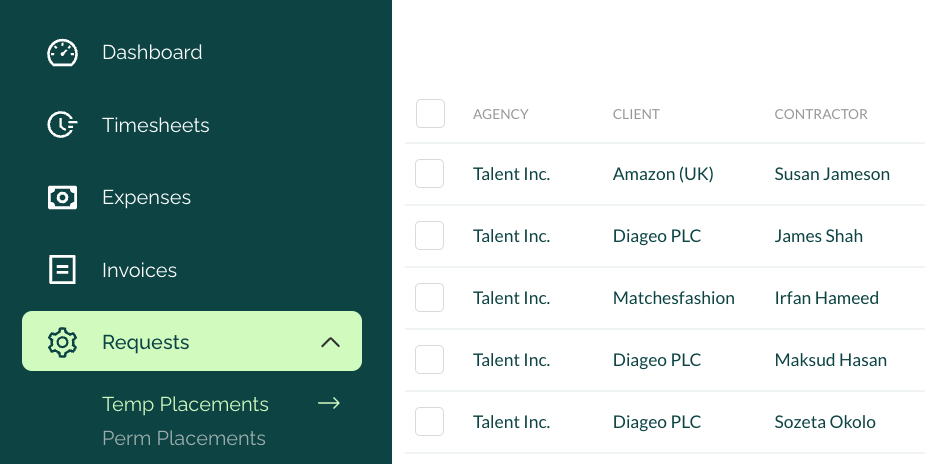
We're delighted to share that agencies can now add placements to the platform in a far easier way.
We're giving users at agencies far more control and visibility of the onboarding process through our latest release. This means that agency users can now:
- see all placement requests in one place along with their status
- request new placements far faster, and by providing less information
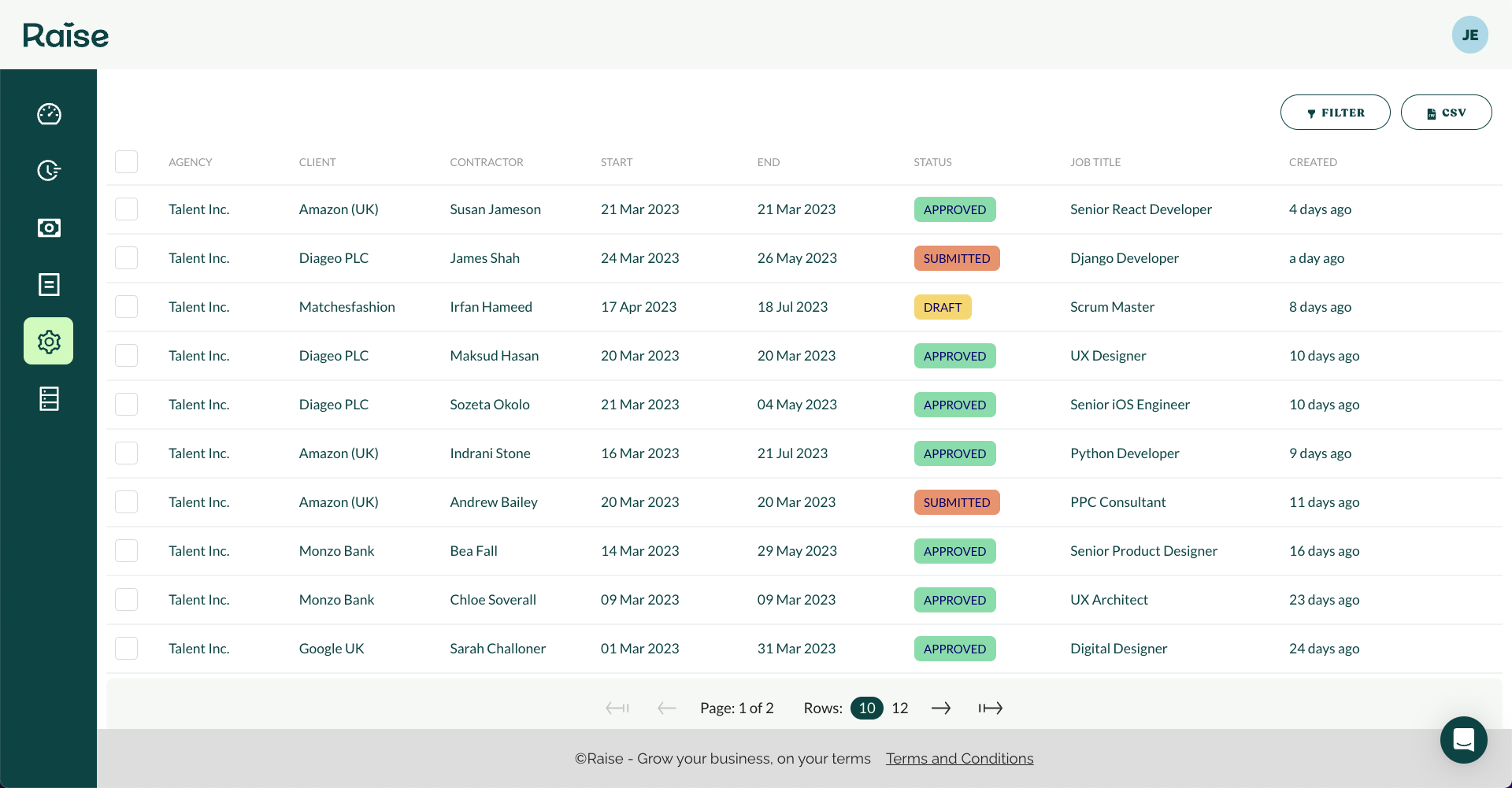
How to add a new temp placement
- Go to REQUEST > TEMP PLACEMENTS in the main navigation
- Click ‘+ NEW REQUEST’
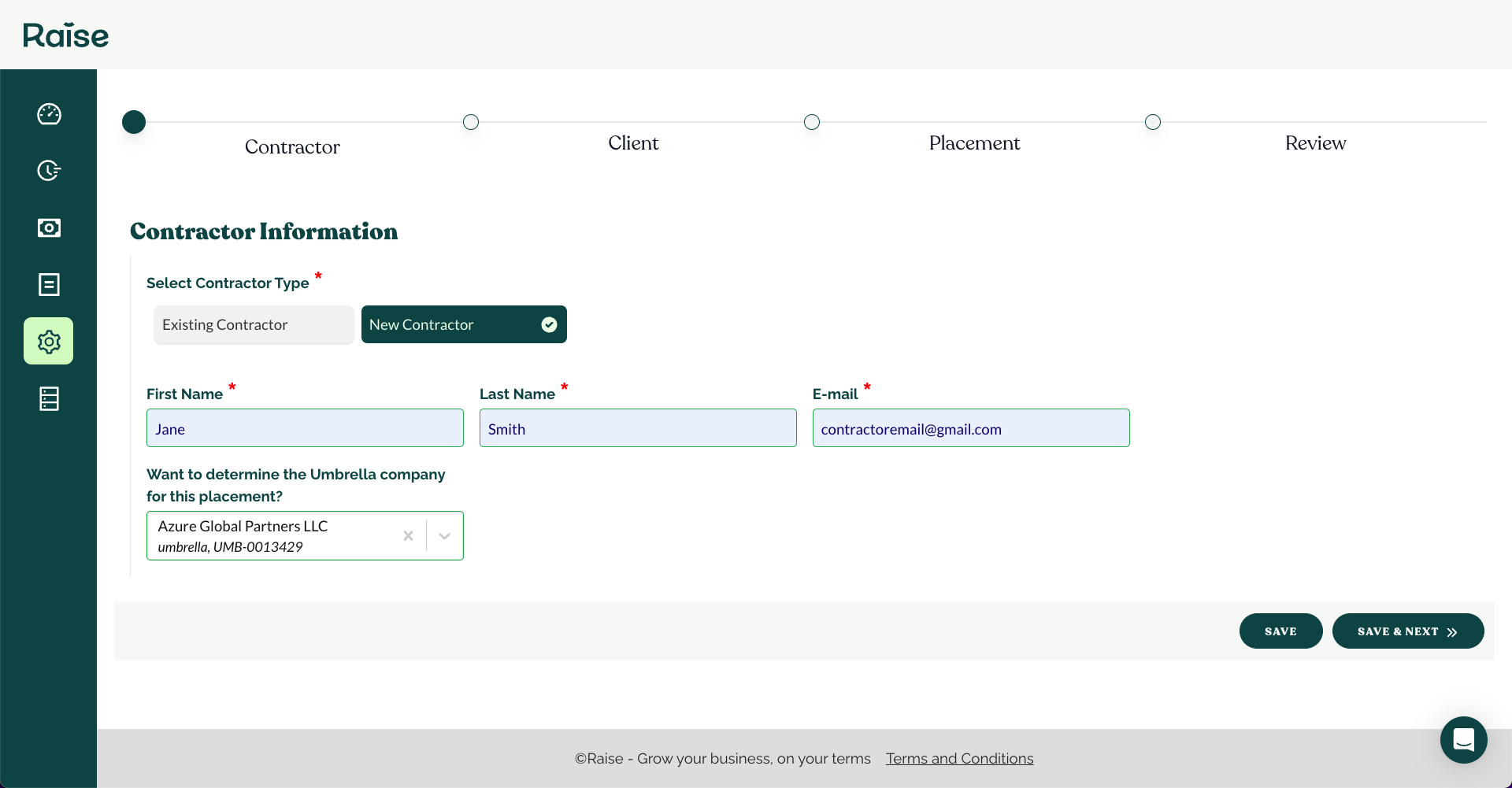
- Search and select an existing contractor or add a new one (select SAVE & NEXT)
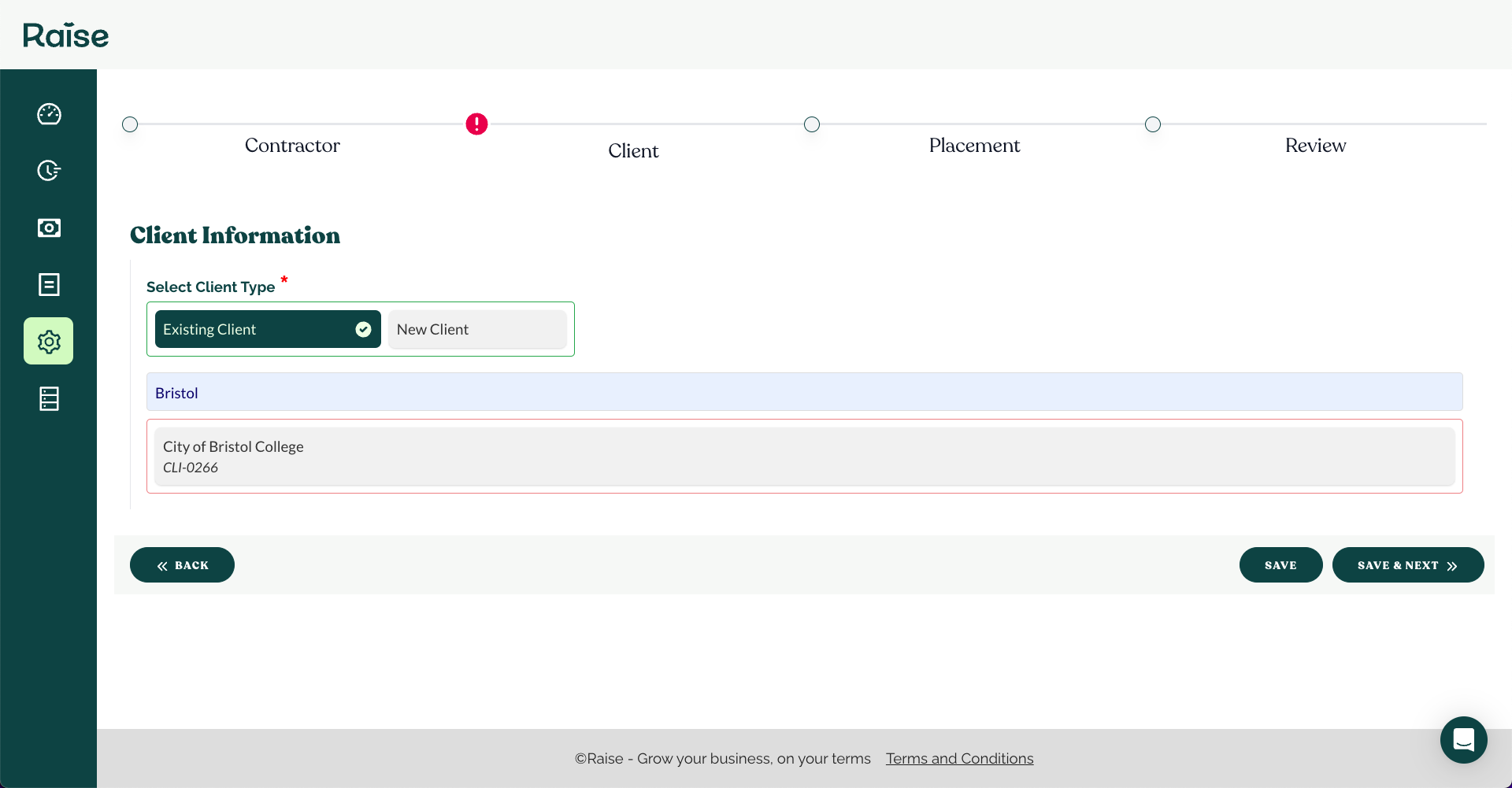
- Search and select an existing client or add a new one (select SAVE & NEXT)
- Add the details of the placement (select SAVE & NEXT)
- Review the information and select SUBMIT

Once the request has been been submitted it will be reviewed by Raise before going through the usual CLIENT and CONTRACTOR placement approval process.
If you're not a Raise customer, but would like to see how simple adding, managing and funding your placements is book a demo here,
If you already use Raise to power your agency and would like to have a demo of the new functionality, reach out to your Customer Success Manager, Onboarding Agent or book a slot here.
🚀